AI Tattoo Design
CamSoft AI MagicArt & Design
4.535.00 Reviews
- Version
- 1.2.0803
- Installs
- 100.00K
- Age Rating
- Everyone
Screenshots
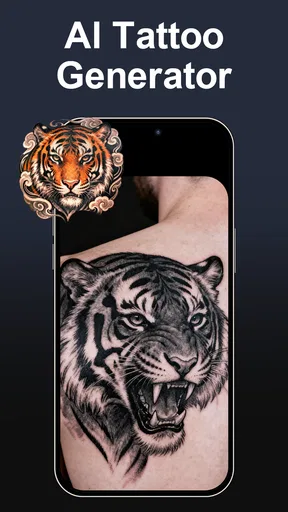
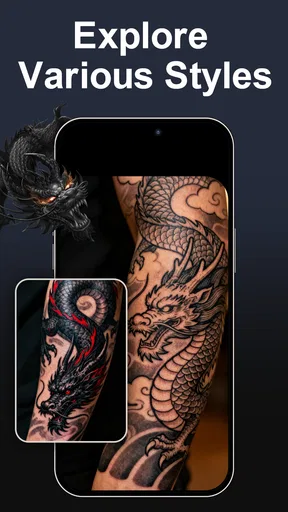
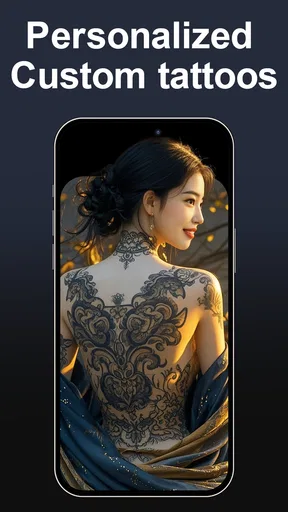
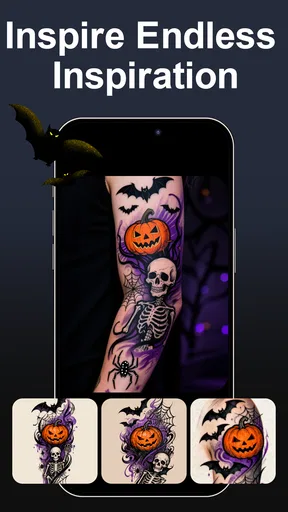
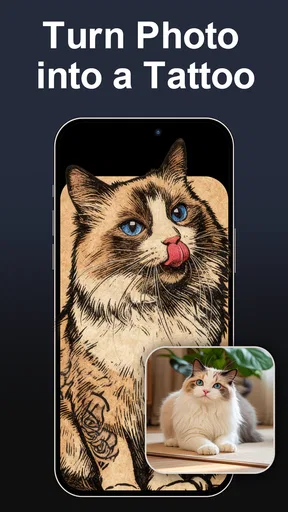
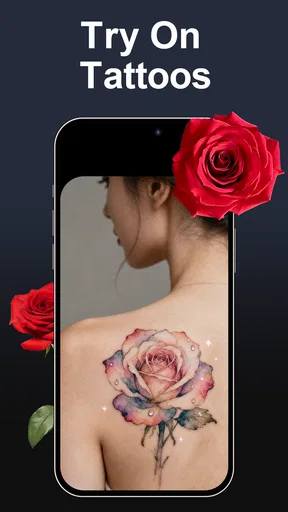
Our Review of AI Tattoo Design
 Analysis by Appyee
I’d treat AI Tattoo Design as a sketchbook for exploring an idea, not as a shortcut to choosing permanent ink. Its appeal is easy to understand: I can start with a theme, see possible directions, and save designs to discuss later. That makes it most useful when I know the feeling I want a tattoo to express but haven’t yet found a visual form that feels right.
That distinction matters. An AI-generated image can help me communicate a mood, motif, or composition, but it isn’t automatically a tattoo-ready stencil. I’d use the app to narrow my thinking and prepare for a conversation with an artist, then let that artist advise on line weight, placement, scale, and what will hold up on skin.
From a vague idea to a workable starting point
Imagine I’m waiting for a friend and scrolling through tattoo references on my phone. I have a rough idea—something connected to travel, perhaps—but I don’t want to collect dozens of unrelated pictures and hope an artist can guess what ties them together. A prompt gives me a quicker way to explore possibilities. I can compare different visual interpretations of the same theme and notice whether I’m drawn to a clean symbol, a more detailed image, or a particular overall mood.
That kind of comparison is more valuable than treating the first attractive result as the answer. I’d keep track of what works in each concept: maybe one has the right silhouette, while another has a better balance of detail and open space. Combining those observations into a clear brief is a practical use of generated art, even if the exact image is never tattooed.
For a first tattoo, this can also make the conversation less intimidating. Instead of arriving at a studio with only “I want something meaningful,” I can show the artist a few visual directions and explain what I like about them. For someone who already has a specific design in mind, though, a drawing app or a direct consultation with an artist may be more efficient than generating broad interpretations.
Discovering Your Perfect Tattoo
First off, getting started with AI Tattoo Design is a breeze. The app is available on both Android and iOS, so no matter your device, you’re covered. Once downloaded, the setup is pretty straightforward. It doesn’t bog you down with a tedious registration process, which is always a plus in my book.
When you launch the app, you're greeted with a sleek, user-friendly interface. It’s intuitive, so even if you’re not the most tech-savvy person, you won’t feel lost. The design is minimalistic, yet it packs a punch with its features.
Features That Stand Out
The app utilizes advanced AI algorithms to generate tattoo designs based on your preferences. You start by choosing from a variety of categories—tribal, geometric, floral, or even custom themes. Want a tattoo that symbolizes freedom? Just type it in, and voila, the AI churns out a plethora of options.
One feature I found particularly impressive is the ability to upload a picture of your body part where you’re considering the tattoo. The app then superimposes your chosen design onto the photo, giving you a realistic preview of how it will look. It’s almost like trying on clothes before buying them, but for tattoos!
Another cool feature is the community aspect. You can share your designs with other users, get feedback, and even draw inspiration from designs created by others. It’s like having a mini tattoo convention in your pocket.
Making the preview useful in a real consultation
A placement mock-up is helpful, but I wouldn’t mistake it for a precise forecast of the finished tattoo. A phone image can make a design appear more settled than it will feel on a moving, curved body part. When I use a preview, I’d take the photo in ordinary lighting, keep the camera angle as natural as possible, and treat the result as a rough conversation aid rather than a measurement of how the tattoo will sit.
The useful handoff is to save or show the reference and explain what I want to preserve: the subject, the mood, or the rough layout. An artist can then adapt those parts to the body and to tattooing itself. Fine details that look crisp on a screen may need simplifying, and a design that seems balanced in a flat mock-up may need adjustment around a wrist, shoulder, or other curved area.
Sharing a design with other users can help me spot whether an image reads clearly to someone who doesn’t already know its backstory. I’d ask a focused question—such as whether the main shape is recognizable at a glance—rather than relying on general approval. That feedback can be useful for choosing between concepts, but it is not a substitute for a tattoo artist’s judgement or a guarantee that a design is technically suitable.
The Personal Touch
Now, I have to admit, I was a bit skeptical about an AI understanding the nuances of tattoo art. I mean, can a machine really capture the essence of something so personal and artistic? But to my surprise, the designs were not only unique but also had a certain flair that I hadn’t expected. The app seems to learn from user inputs, constantly improving its design suggestions.
And it’s not just about picking a design. The app also connects you with professional tattoo artists. Once you’ve found a design you love, you can reach out to artists nearby who can bring your vision to life. This integration is seamless and ensures that your digital design can become a permanent piece of art on your body.
Where the handoff needs care
I’d still approach the move from an appealing image to an actual appointment with a little patience. A generated concept is a starting point, not proof that the final result will match it exactly. The artist may suggest changes for clarity, placement, or longevity, and I’d consider those changes part of the process rather than a failure of the app. The best outcome is often a design that keeps the idea I care about while being redrawn for real skin.
If I’m comparing nearby artists, I’d look at examples of their finished work and whether their style suits the design I’m bringing. A connection inside an app can make the next step easier, but it doesn’t remove the need to assess an artist’s portfolio and communicate clearly. I’d also avoid treating community reactions as a vote on whether I should get tattooed; personal significance and professional advice matter more than popularity.
There are limits to the kind of task this tool suits. It is a strong fit for brainstorming, visual comparison, and preparing a reference. It is less suitable if I need exact lettering, a carefully reproduced emblem, or a technically precise custom drawing where small errors would matter. In those cases, I’d take the concept directly to an artist or use a drawing tool that gives me more deliberate control.
Cost, access, and what to expect
The app is free to download, with in-app purchases ranging from $0.49 to $29.99 per item. I’d begin with the free experience and decide whether I’m reaching a real limit before spending anything. If I only need a few concepts to clarify an idea, paying for extras may not add much value; someone who spends more time exploring designs may judge that differently. I wouldn’t assume a purchase is necessary to get started.
It’s an art-and-design app from CamSoft AI Magic, rated for Everyone, with a 4.2 average from around 5,800 ratings and over 100,000 installs. The current version is 1.2.0114, and it runs on Android 8.0 or later. Those details make it straightforward to assess basic compatibility, but they don’t tell me whether a particular generated image will suit my taste. I’d judge that by trying a specific idea and seeing whether the results help me make a decision.
Compared with browsing image searches or social feeds, the app’s main advantage is that I can begin from my own theme rather than endlessly scrolling through other people’s finished tattoos. The trade-off is that reference galleries show real work on real clients, while generated concepts are better understood as possibilities. Compared with drawing by hand, it can get me past a blank page quickly, but it offers less intentional control than working with an artist or a capable illustration tool.
Who will get the most from it
I’d recommend it to someone in the early stages: a first-timer who has a personal theme but no composition, or an experienced tattoo fan who wants to test a fresh direction before booking a consultation. It can also help a person who struggles to describe an idea verbally, because a set of images gives both sides something concrete to discuss.
I’d skip it if I already have a finished design that needs exact reproduction, if I’m looking for a substitute for a tattoo artist, or if I expect a preview to guarantee the final appearance. It may also be the wrong first stop for someone who hasn’t decided whether they want a tattoo at all. Generating more options can make indecision worse; in that situation, I’d pause and think about the commitment before refining the artwork.
A practical workflow is to begin with one clear theme, compare a small set of directions, and save only the options that genuinely differ. Then I’d write down what each one gets right and bring that short list to an artist. This avoids the common trap of collecting many near-duplicates without learning anything about my own preferences. If none of the outputs feels close, that is useful information too: the concept may need a more specific brief, or it may be better developed with an artist from the outset.
What About the Cost?
Oh, and let’s talk about pricing. The app is free to download, which is great, but there are in-app purchases. If you want access to premium designs or to remove ads, there’s a small fee. Personally, I found the free version quite sufficient, but if you’re a tattoo enthusiast looking for more intricate designs, the extras might be worth considering.
Final Thoughts
In conclusion, AI Tattoo Design is a pretty nifty app for anyone considering getting a tattoo. It takes the guesswork out of designing and adds a layer of fun and creativity to the process. Whether you’re a tattoo newbie or a seasoned ink lover, this app offers something for everyone.
If you’re ready to explore the world of tattoos and need a little digital assistance, give AI Tattoo Design a shot. Who knows, you might just find the perfect design that speaks to you in ways you hadn’t imagined.
And remember, while technology can guide you, the ultimate decision is yours. Happy inking!
Verdict
Strengths of AI Tattoo Design
- Wide variety of design styles.
- Intuitive user interface.
- Customizable design options.
- High-resolution design output.
- Frequent updates with new designs.
Limitations of AI Tattoo Design
- Limited free features.
- Requires internet connection.
- Occasional app crashes.
- Ads can be intrusive.
- Design export options are limited.
Similar Picks in This Category
View All
Canva: AI Photo & Video Editor
Canva4.8

PENUP – Drawing-sharing SNS
Samsung Electronics Co., Ltd.4.5

Crafto
Kutumb App4.6

Sketchbook
Sketchbook4.1

ibis Paint X
ibis inc.4.5

Adobe Express: AI Photo, Video
Adobe4.6
Frequently Asked Questions
What is AI Tattoo Design and how does it work?
AI Tattoo Design is an innovative app that leverages artificial intelligence to help users design custom tattoos. Users can input their preferences, such as style, theme, and size, and the app generates unique tattoo designs based on these inputs. It's perfect for those seeking inspiration or wanting to visualize ideas before committing to a tattoo.
Is AI Tattoo Design available for both Android and iOS platforms?
Yes, AI Tattoo Design is available for download on both Android and iOS devices. Users can easily find it in the Google Play Store or the Apple App Store. The app ensures a seamless experience across different platforms, providing versatile tools and features to design tattoos on the go.
Are there any costs involved in using AI Tattoo Design?
AI Tattoo Design offers a basic version for free, allowing users to explore essential features. However, for advanced tools and a wider range of design options, users can opt for in-app purchases or a premium subscription. This approach allows users to test the app before deciding to invest in additional features.
Can I use AI Tattoo Design to consult with professional tattoo artists?
While AI Tattoo Design primarily focuses on generating design ideas, it also allows users to share their creations with professional tattoo artists. This feature is useful for those who want expert feedback or wish to collaborate with an artist to refine their designs before getting inked.
How secure is my data when using AI Tattoo Design?
AI Tattoo Design takes user privacy seriously, implementing robust security measures to protect personal data. The app complies with standard data protection regulations and ensures that user information, including design preferences and contact details, remains confidential and secure throughout the design process.
